job-focus-assist: A Local-Only Chrome Extension for Tracking Job Applications
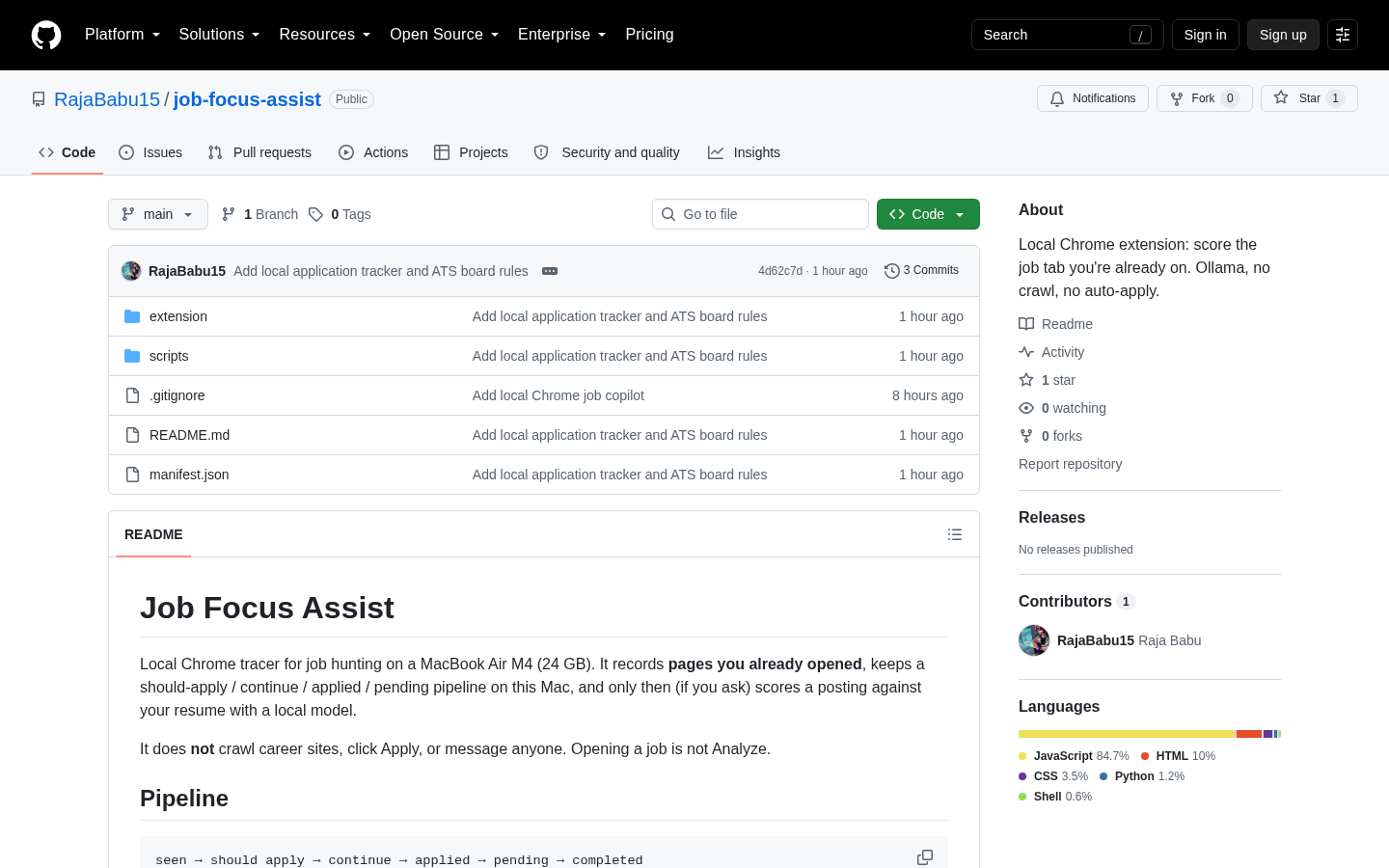
job-focus-assist is a Chrome extension that tracks job applications locally, built by developer rajacodes26 and posted to Hacker News as a Show HN project. It records whether you have seen, started, or submitted an application by reading the page state of the tab you have open, and stores that history in your browser's IndexedDB rather than on a server. You install it manually through Chrome's 'load unpacked' developer option, since it is not listed on the Chrome Web Store.
Disclosure: this article contains affiliate links. If you buy through them we may earn a commission at no additional cost to you. Our recommendations are based on the evidence recorded alongside this article, and prices were verified on the date shown.
What changed and why it matters
A developer posting as rajacodes26 put job-focus-assist on Hacker News Show HN under the title "Show HN: Chrome extension that tracks job applications on your machine." The project is hosted at github.com/RajaBabu15/job-focus-assist, and the repository backs up the headline claim: the tracking logic runs in your browser, not on a server you have to trust with your job search history.
The creator built it after losing track of which job listings had actually been submitted versus just opened, across sites including Microsoft roles routed through Eightfold and postings on Lever. That narrow focus is also what shapes the tool's design.
Because the problem was "I lose track between tabs," the fix is scoped to exactly that: watch the tab you are on, record what stage it reached, and stop there. It is not trying to be a job board, a resume manager, or an applicant CRM.
The list
- It installs manually, not through the Chrome Web Store. You load it via Chrome's "load unpacked" developer option, pointing at the code from github.com/RajaBabu15/job-focus-assist. There is no store listing to click through, and no store review process vetting the code for you — you are trusting the GitHub repository directly, which is a reasonable trade for a small utility but a different bar than installing something with thousands of store reviews behind it.
- It reads only the tab you are currently on. The extension does not scan your other open tabs or your general browsing activity. That scope is deliberate, and it is the reason it can plausibly claim to be a lightweight, single-purpose tool rather than a general browsing tracker. If you are evaluating browser extensions on how much they can see, this is the detail to check first, and it is the one job-focus-assist gets right by design rather than by policy promise.
- Status updates itself as you move through a listing, based on page state:
| Page state | What triggers it | Status recorded |
|---|---|---|
| Job posting page | You open a listing | Seen |
| Application form | You reach the apply page | Continue |
| Confirmation page | Submission goes through | Applied |
That three-stage model is simple enough to be predictable, which matters more than it sounds: a tracker that guesses wrong about your status is worse than no tracker, because you stop trusting it and go back to checking manually anyway.
- Application history stays in your browser's IndexedDB. Nothing is sent to a server, per the project's own documentation. That is the difference between this tool and a job-tracking web app or spreadsheet template you would sign into with an email address — there is no account to create, and nothing to leak from a vendor's database, because there is no vendor database.
- AI analysis is opt-in, not automatic. The optional Ollama integration only runs when you click "Analyze." Simply opening a job listing does not call a model, which matters if you care about what is quietly running in the background, or about not sending listing text anywhere without deciding to first.
- It grew out of a real multi-site tracking problem, not a generic feature list: the creator specifically cites losing track of applications across Microsoft (via Eightfold) and Lever, two systems with different page flows for the same underlying action. Building the status logic around page state rather than around any one site's layout is what lets it generalize across those different systems in the first place.
- If you ever want that history backed up outside the browser, that is a separate infrastructure decision from anything the extension does today — Check current price for DigitalOcean Spaces object storage to see what storing exported application records outside your laptop would cost, in case the local-only design ever stops being enough.
Best for: job seekers applying across multiple sites who want a private, local log without creating an account with a tracking service, and who are comfortable enabling Chrome's developer mode to install it.
Skip it if: you need it installed on a locked-down work machine where "load unpacked" is not an option, you want history synced across devices out of the box, or you expect AI screening to run automatically without you clicking anything.
What to do next
job-focus-assist works because it deliberately stays local: no server, no account, no sync. That is a reasonable design for a single-machine tool, but it is also the ceiling. The moment you want your application history available on more than one machine, or you want to fork the project and add a backend of your own, you are outside what a Chrome extension by itself can do — IndexedDB does not follow you across devices, and nothing in the project claims that it does.
If you are weighing that next step, treat the infrastructure decision as separate from the extension itself. A small backend for a tracker like this needs somewhere to run the server and somewhere to store structured records, both with a published price you can check before committing to anything rather than guessing at a monthly bill after the fact. Check current price for DigitalOcean Basic Droplet (2 vCPU / 4 GB) to see what a small server capable of running a Node or Python API costs. Check current price for DigitalOcean Managed PostgreSQL to see what a managed database costs against self-hosting Postgres on that same server, which is the trade-off that decides how much of the maintenance work you take on yourself.
And if you are weighing that build against an existing AI-assisted project instead of building from scratch, Show HN Agentic Ship compared: which one is worth buying covers that comparison directly — worth reading before you decide whether to extend job-focus-assist yourself or adopt something already built. Either path still needs a hosting decision behind it, so See current pricing at the merchant before you commit to a provider.
What this costs right now
DigitalOcean Spaces object storage
The last check on this price fell outside our freshness window, so no figure is shown.
Check the current price at DigitalOceanDigitalOcean Basic Droplet (2 vCPU / 4 GB)
The last check on this price fell outside our freshness window, so no figure is shown.
Check the current price at DigitalOceanDigitalOcean Managed PostgreSQL
The last check on this price fell outside our freshness window, so no figure is shown.
Check the current price at DigitalOceanDigitalOcean
The last check on this price fell outside our freshness window, so no figure is shown.
Check the current price at DigitalOceanPrices move. We print the figure we read and the moment we read it, and suppress anything older than its window rather than guess at the current number.