Show HN Port-Light: A Self-Hosted Port Dashboard
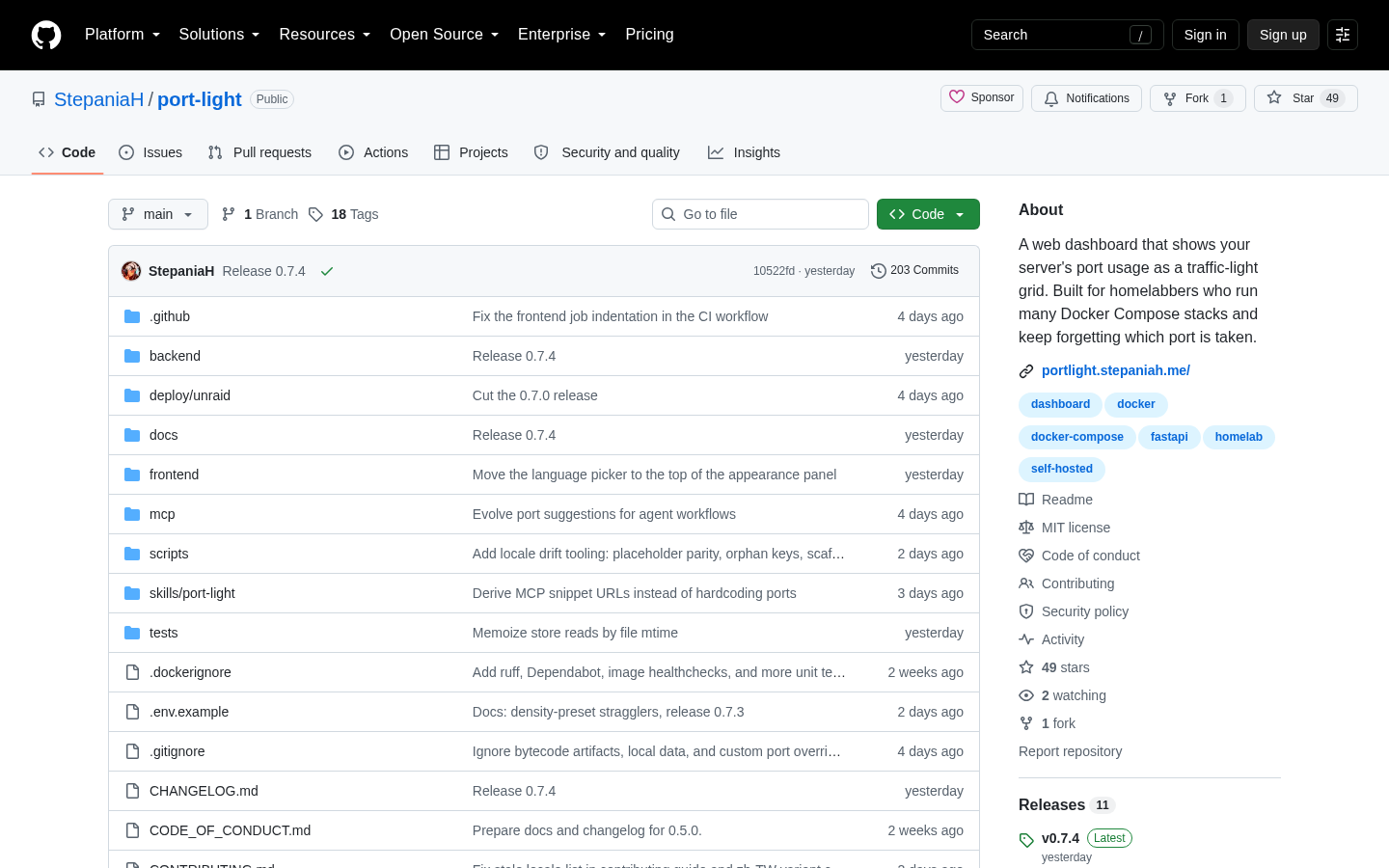
Port-Light is a self-hosted dashboard, posted to Show HN by developer StepaniaH, that turns Docker, host listen tables, and Compose files into one traffic-light grid of used ports, and it can pull in data from any reachable remote host or VPS. This matters because port collisions are a routine source of downtime for anyone self-hosting several services. This piece explains the tool and where managed hosting fits instead, with Vercel pricing checked on 2026-08-28.
Disclosure: this article contains affiliate links. If you buy through them we may earn a commission at no additional cost to you. Our recommendations are based on the evidence recorded alongside this article, and prices were verified on the date shown.
What changed and why it matters
A single developer, StepaniaH, posted Port-Light to Show HN as a self-hosted dashboard that answers one question: which ports on your server are already taken. The project is not a company or a hosted product — it's a personal home-server tool the author built, by their own account, because they kept losing track of port assignments across a growing pile of self-hosted services.
That framing matters more than it sounds. Anyone running multiple Docker containers on one box eventually hits the same problem: two services claim the same port, a container fails silently, and you're grepping through docker ps output or Compose files trying to find the conflict. Port-Light exists to replace that grep session with one screen.
The detail
Port-Light renders port usage as a traffic-light grid rather than a raw table or a log file. Instead of scanning text output for the port you need, you look at a grid and see, at a glance, what's free and what's claimed.
Under the hood, it merges three sources on the machine it runs on:
- Host listen tables — what the operating system itself reports as bound.
- The Docker API — what containers have actually claimed.
- Compose files — what's declared, whether or not it's currently running.
Combining those three matters because they can disagree. A Compose file might declare a port that was never started; a container might bind a port nothing in your Compose files mentions. Port-Light is self-hosted, meaning you run it as its own service on your own infrastructure — there's no vendor dashboard to log into and no data leaving your box unless you point it at other machines. It can also aggregate port data from remote hosts and VPS instances, as long as those hosts are network-reachable from wherever Port-Light itself runs, which turns a single-box tool into something closer to a fleet view for people running several small servers.
That fleet-view instinct — wanting one screen for infrastructure spread across boxes — is also the point where self-hosting starts to compete with managed platforms on cost of attention, not just cost of dollars. If you're a team past the hobby stage weighing whether to keep operating that infrastructure yourselves or hand the deployment layer to a managed platform, Vercel's top tier is the relevant comparison point, and you can [check current price for Vercel Enterprise](Check current price for Vercel Enterprise) to see what that tier covers before you decide which way to go.
What it means for you
If you're a solo home-server operator running a handful of Docker containers, Port-Light solves a real, specific annoyance: it's free to run, it's yours to modify, and it gives you a grid instead of a grep. Skip it if you want a supported, vendor-backed product with a roadmap and a support queue — this is a personal project from one author, not a company with an SLA.
| Best for | Skip it if | |
|---|---|---|
| Port-Light (self-hosted) | Home-server users who already run Docker and want one grid across local and reachable remote hosts | You need vendor support, not a project you patch yourself |
| Managed platform (e.g., Vercel) | Teams that want the hosting and deployment layer handled so nobody has to track ports at all | You're happy owning every layer of the stack yourself |
The broader signal here is about where your time goes. Every hour spent reconciling host listen tables against Compose files is an hour not spent on the product running behind those ports. If that trade-off is starting to look wrong for your team, [see current pricing at the merchant](See current pricing at the merchant) for Vercel's plans and weigh it against what your self-hosted setup actually costs you in maintenance time, not just server bills. For a closer look at what self-hosting your own infrastructure costs in practice, see Self-Hosting a Web Archive on DigitalOcean: Droplets, Spaces and Managed PostgreSQL Compared.
The decision isn't Port-Light versus Vercel — they solve different layers. It's whether you want to keep building tools like Port-Light to manage your own infrastructure, or pay a platform to make that infrastructure disappear.
What this costs right now
Vercel Enterprise
The last check on this price fell outside our freshness window, so no figure is shown.
Check the current price at VercelVercel
The last check on this price fell outside our freshness window, so no figure is shown.
Check the current price at VercelPrices move. We print the figure we read and the moment we read it, and suppress anything older than its window rather than guess at the current number.