Port-Light: A Self-Hosted Dashboard for Server Ports
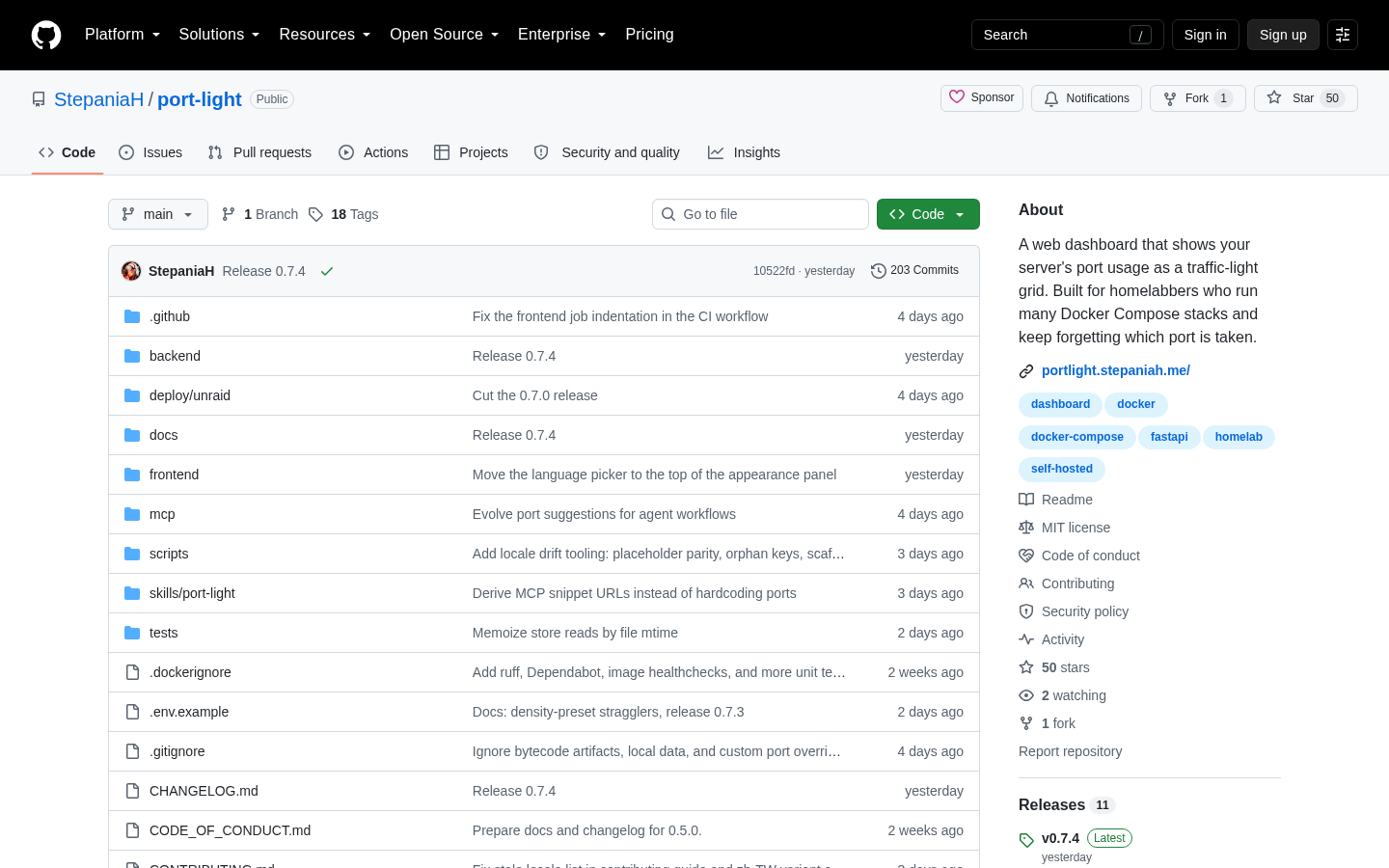
A developer named StepaniaH shared Port-Light on Show HN, a self-hosted dashboard that merges host listen tables, the Docker API, and Docker Compose files into one traffic-light grid of port usage. It matters because anyone running several Docker services on a VPS loses track of which ports are already claimed. This piece adds DigitalOcean Droplet, Spaces, and Managed PostgreSQL prices verified on August 28, 2026, for readers deciding where to host it.
Disclosure: this article contains affiliate links. If you buy through them we may earn a commission at no additional cost to you. Our recommendations are based on the evidence recorded alongside this article, and prices were verified on the date shown.
What changed and why it matters
Port-Light is for anyone running Docker Compose stacks on a home server or VPS who's lost track of which ports are already bound. It's a free, self-hosted dashboard, not a subscription tool, and it works by reading data your server already has.
The checkable fact here is simple: Port-Light merges three separate local data sources — host listen tables, the Docker API, and Docker Compose files — into a single traffic-light grid, instead of asking you to check each one by hand. It was built and published on GitHub by an independent developer using the handle StepaniaH, who describes themselves as a home-server enthusiast with what they call a chaotic memory for tracking ports. That's the exact problem the tool is built to solve, and it's why it showed up on Show HN rather than in a vendor's product launch.
The list
Here's what the tool actually does, based on its GitHub repository:
- Traffic-light grid view. Every port renders as a colored cell, giving you a visual read of what's occupied and what's free instead of scrolling terminal output.
- Three data sources merged into one. Port-Light reads host listen tables, queries the Docker API, and parses Docker Compose files, then reconciles all three into a single grid, so you're not cross-referencing a netstat dump against
docker psagainst a YAML file by hand. - Multi-host and multi-VPS aggregation. If you run services across more than one server, Port-Light can pull them into the same dashboard. The only requirement is that each remote host is network-reachable from wherever the dashboard runs.
- Built for home-server use, not enterprise fleets. The developer built it to manage their own setup, not as a commercial monitoring product. That means no SLA and no vendor support line — you're running community code you maintain yourself.
- Open source on GitHub. The full source is published at github.com/StepaniaH/port-light, so you can read exactly what it does before you deploy it, and fork it if you need changes.
- Runs on infrastructure you provide. Port-Light doesn't ship as hosted SaaS — it needs a machine to live on, alongside the Docker workloads it's tracking. Best for: anyone already running Docker Compose stacks who wants a live port map without adding a full monitoring platform. Skip it if: you need enterprise support, audit logging, or role-based access, since none of that is part of what's documented for this project.
To actually run Port-Light and the containers it's watching, you need a host with enough memory to run Docker plus the dashboard container at the same time; Check current price for DigitalOcean Basic Droplet (2 vCPU / 4 GB) shows the current specs and cost before you commit to a box.
What to do next
Port-Light itself is free to run, but it needs somewhere to run it. If you're weighing where to host a Docker stack you can point Port-Light at, here's how the pieces break down:
| Product | Best for | Skip it if |
|---|---|---|
| Basic Droplet (2 vCPU / 4 GB) | Running Docker and Port-Light on one host | You need managed OS patching and backups built in |
| Spaces object storage | Storing container backups, logs, or static assets outside the Droplet's disk | You don't generate persistent files worth archiving |
| Managed PostgreSQL | Any Compose service that needs a database you don't want to operate yourself | Your stack has no relational database, or you're fine self-managing Postgres in a container |
If your Compose file includes services that write logs, backups, or static assets, Check current price for DigitalOcean Spaces object storage lays out what block-and-object storage costs, kept separate from your Droplet's local disk so a container crash doesn't take your data with it. If any of those containers talk to a database, Check current price for DigitalOcean Managed PostgreSQL gives the current tiers for a managed Postgres instance instead of running Postgres in a container you have to patch and back up yourself.
For a fuller walkthrough of how these three pieces work together on one project, see Self-Hosting a Web Archive on DigitalOcean: Droplets, Spaces and Managed PostgreSQL Compared. Before you provision anything, See current pricing at the merchant to confirm the numbers above still hold — cloud pricing changes without much notice, and the plan you build around should match what's charged on the day you sign up.
The decision is simple: if Port-Light's port-tracking grid solves a real problem on your box, provision the DigitalOcean tier that matches your Compose file's memory footprint, not the largest one on the page.
What this costs right now
DigitalOcean Basic Droplet (2 vCPU / 4 GB)
The last check on this price fell outside our freshness window, so no figure is shown.
Check the current price at DigitalOceanDigitalOcean Spaces object storage
The last check on this price fell outside our freshness window, so no figure is shown.
Check the current price at DigitalOceanDigitalOcean Managed PostgreSQL
The last check on this price fell outside our freshness window, so no figure is shown.
Check the current price at DigitalOceanDigitalOcean
The last check on this price fell outside our freshness window, so no figure is shown.
Check the current price at DigitalOceanPrices move. We print the figure we read and the moment we read it, and suppress anything older than its window rather than guess at the current number.