NeoBrowser MCP: Control Chrome With Logged-In Sessions
NeoBrowser is a new MCP server that drives a real Chrome browser instead of a headless one, reusing your existing logged-in sessions instead of fresh authentication. That matters for agent workflows that need authenticated pages, since most automation tools break on logins and two-factor prompts. This piece covers what the GitHub repository confirms, checked August 28, 2026, and where to look for hosting once you build around it.
Disclosure: this article contains affiliate links. If you buy through them we may earn a commission at no additional cost to you. Our recommendations are based on the evidence recorded alongside this article, and prices were verified on the date shown.
NeoBrowser is an MCP server that lets an AI agent control a real, visible Chrome browser using the sessions you're already logged into — no separate authentication step required. It suits developers building agent workflows that need to reach authenticated pages; it's not the tool if you just need fast, disposable headless scraping.
What changed and why it matters
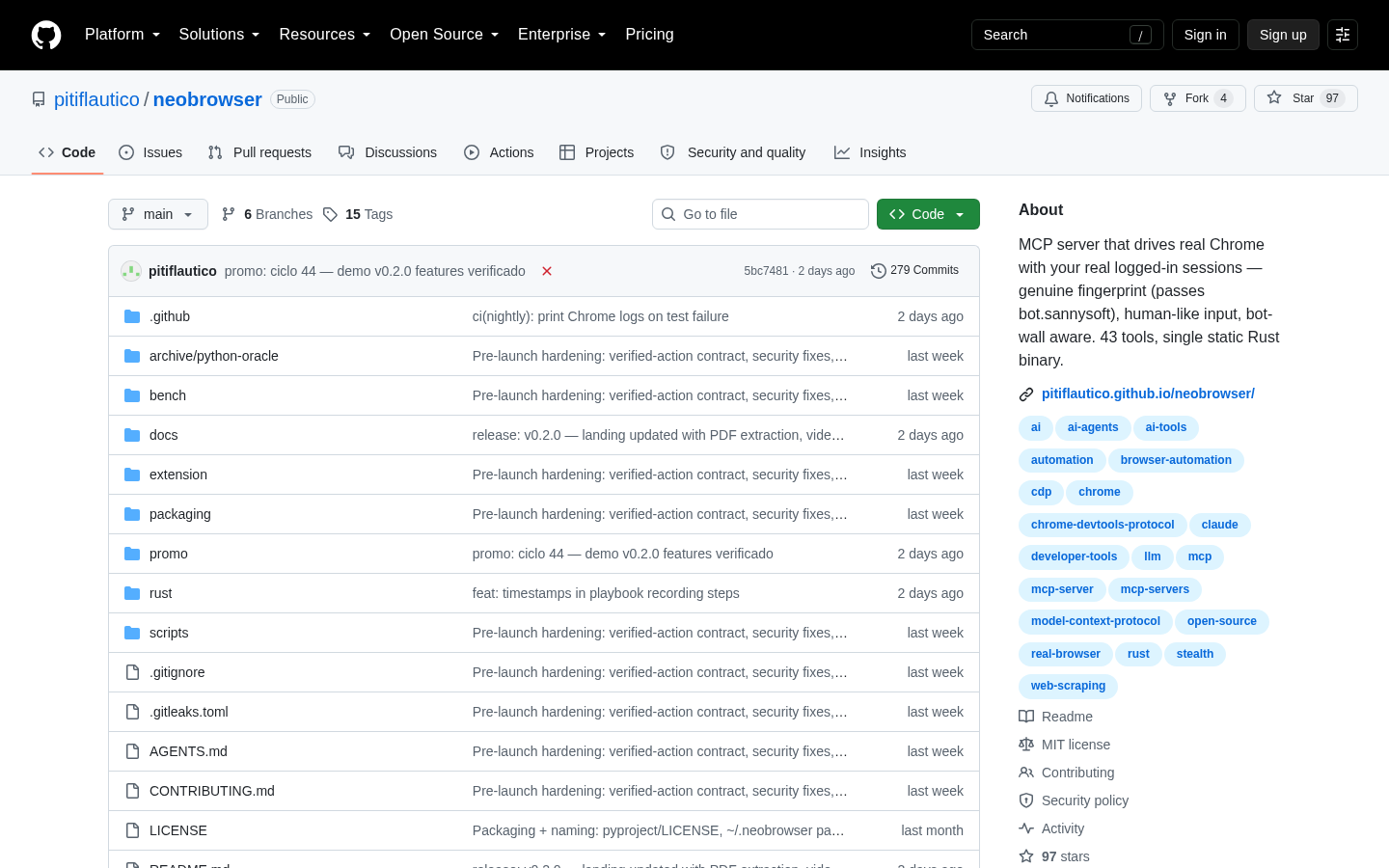
A developer publishing under the GitHub account pitiflautico has released NeoBrowser, an MCP (Model Context Protocol) server built to drive a real instance of Chrome using your own logged-in browser sessions. The source code is public on GitHub, and as verified on the project's repository page (checked August 28, 2026), the core claim is specific: this is not a standalone browser and not a browser extension. It's a server that an AI agent connects to in order to operate an actual Chrome window on your machine.
That distinction matters because most browser-automation tooling built for AI agents runs headless or simulated, starting from a blank, unauthenticated profile every time. A task that touches a site you're logged into — a dashboard, an inbox, an internal tool behind SSO — has to re-authenticate from scratch, which breaks on two-factor prompts, CAPTCHAs, and anything session-bound. NeoBrowser is built around avoiding that reset.
The detail
MCP, the Model Context Protocol, is the connection standard that lets an AI agent call external tools — a database, a file system, a browser — through a defined server interface instead of a custom, one-off integration for each. NeoBrowser is one such server, scoped specifically to browser control.
Two things separate it from a typical automation script, based on what the repository documents:
- Real Chrome, not headless. It operates an actual instance of the Chrome browser rather than a stripped-down or simulated rendering engine, so the pages an agent sees are the same pages you'd see, rendered the same way.
- Your sessions, not fresh ones. It uses your existing logged-in browser sessions. An agent checking a webmail inbox or pulling data from a subscription dashboard doesn't need a separate login step or stored credentials — it works inside the session you already have open.
Best for: developers who need an agent to act inside accounts they're already authenticated into, without building a credential-management layer around every task. Skip it if you need high-volume, disposable scraping across sites you don't have accounts on — a headless setup will be lighter and easier to scale for that job, and running a real Chrome window per task adds overhead you don't need.
The material available doesn't publish pricing, supported operating systems, or installation requirements, so if you're evaluating NeoBrowser for a real workflow, the GitHub repository under pitiflautico is the primary source to check before you build anything on top of it.
What it means for you
The practical implication isn't about NeoBrowser itself — it's about what running it requires. An MCP server that drives a live Chrome instance isn't something you run once and forget. It needs a machine or hosted environment that stays available whenever your agent needs to act, plus somewhere to deploy the rest of the stack your agent depends on: the API layer, the webhooks, a dashboard to see what the agent is doing.
That's a hosting decision, separate from picking NeoBrowser itself. If you're already building or extending agent tooling and need somewhere to deploy the application around it, See current pricing at the merchant to compare the tiers available for running always-on services alongside an MCP server like this one.
If you'd rather keep everything on infrastructure you manage directly instead of a managed platform, Self-Hosting a Web Archive on DigitalOcean: Droplets, Spaces and Managed PostgreSQL Compared walks through the droplet, object storage, and managed database tradeoffs you'd weigh doing the same for agent infrastructure — a useful comparison before you commit to either path.
Either way, the decision to make before writing any agent code is where the always-on pieces of your stack will live, not just which MCP server you wire up first.
What this costs right now
Vercel
The last check on this price fell outside our freshness window, so no figure is shown.
Check the current price at VercelPrices move. We print the figure we read and the moment we read it, and suppress anything older than its window rather than guess at the current number.